QuickLogs × AIROS
Introducing AIROS: a smarter way to manage your pilot logbook
By Dylan, Founder of QuickLogs ·
Introduction
Beyond the traditional digital logbook
Digital logbooks have been around for years. Platforms like LogTen and ForeFlight have helped thousands of pilots move away from paper records, organize flight time, and track their experience.
But digitizing a logbook doesn't necessarily make maintaining one any easier.
Many platforms still rely on spreadsheet-like interfaces or lengthy entry forms. Recording a single flight can mean navigating dozens of fields, manually entering information, and remembering which details matter for different types of flight experience.
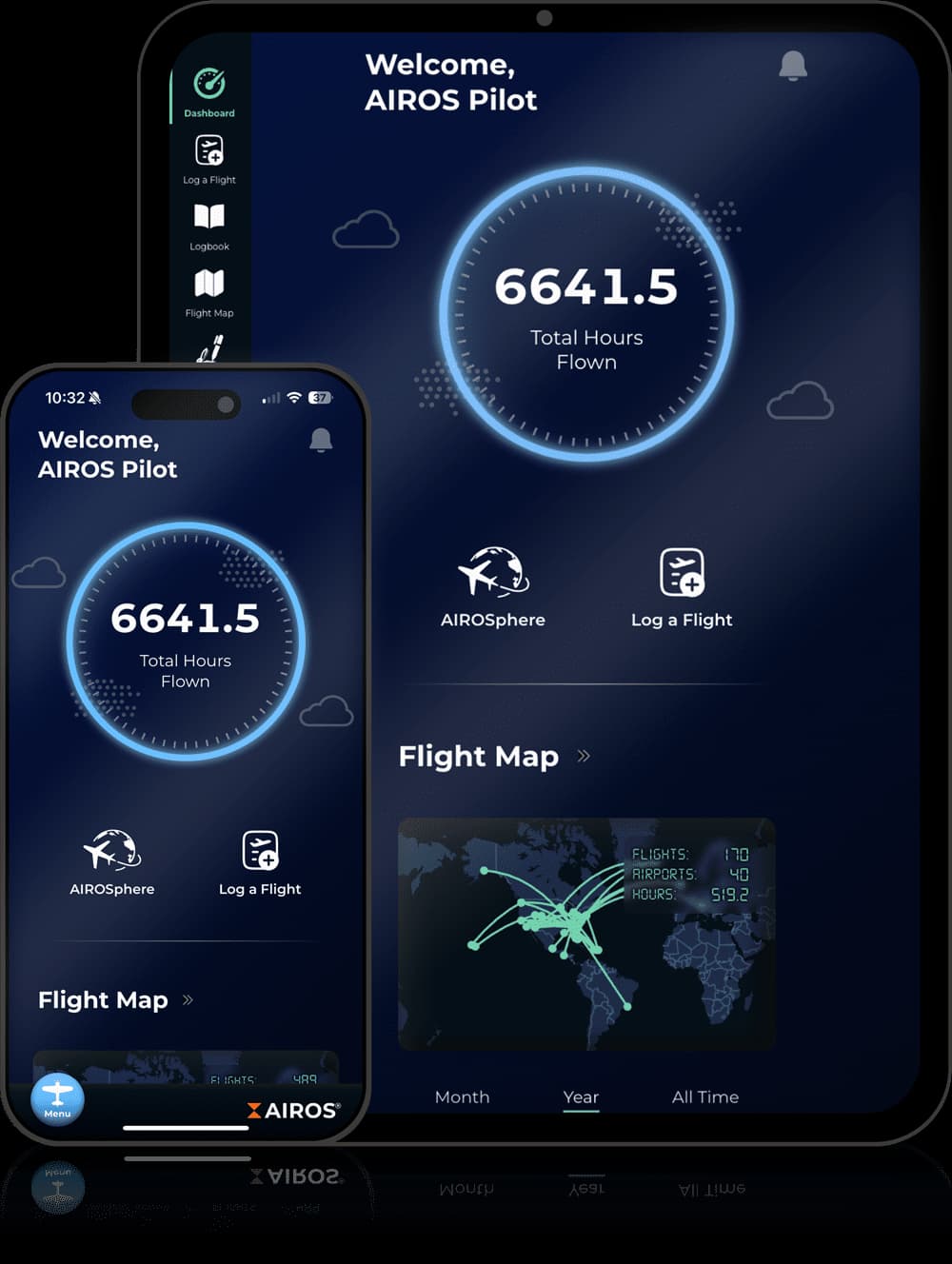
AIROS approaches the problem differently, with two priorities that particularly stood out to us: regulatory compliance and effortless flight logging.
Accuracy
Regulatory compliance built into the experience
Simplicity
Flight logging without the spreadsheet
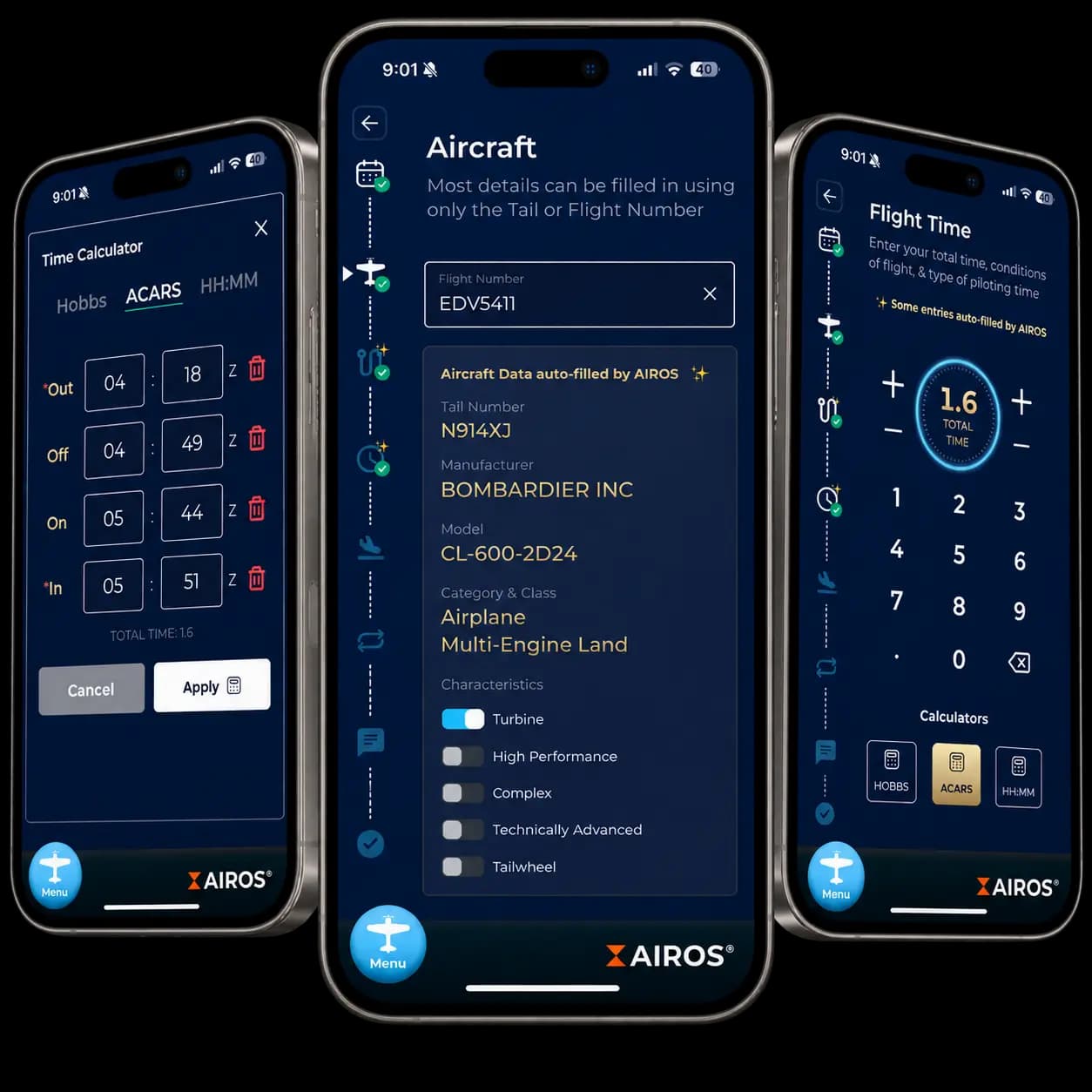
What stood out to me most about AIROS was how it handles an individual flight. Instead of presenting every field at once, it breaks the entry into focused screens. Aircraft details can be filled from a registration or flight number, and the time calculator handles calculations you'd otherwise do yourself. You still check the entry, but there's less to type.
The graphic below shows what that looks like. The middle screen has aircraft details filled from a flight number. On either side, you can see the time calculator and flight-time entry. It gives you a clearer sense of the process than a list of features: identify the aircraft, work through the times, and check the details as you go.
For someone coming from paper, that matters beyond the first import. QuickLogs gets the old flights into a format you can use. AIROS gives you a way to keep adding new ones without returning to the same manual work.
Partnership
Why QuickLogs and AIROS are a natural fit
QuickLogs handles the work that comes before a digital logbook can be useful: reading paper pages and turning them into individual flight records. You review those records against the source, correct anything that needs attention, and export the flights when they're ready. AIROS picks up from there, giving you a place to keep that history and log new flights.
For pilots making that move, the partnership includes 3 months free, then $25 off your first year of AIROS. Available to pilots who purchase a QuickLogs page package. Find it under Settings → AIROS, or contact QuickLogs support for help accessing it before subscribing.
If you're starting with paper, our complete guide to digitizing a paper pilot logbook explains how to photograph your pages, review the extraction, and prepare your records for export. The same process applies whether you choose AIROS or another supported logbook.



Photograph pages
Photograph your pages
with your phone.Review flights
Review extracted flights
against each page.Export CSV
Export reviewed flights
as an AIROS CSV.Import flights
Import your CSV
and continue in AIROS.
Looking ahead
Your flight history, ready for what's next
Test the AIROS import on three real pages.
Photograph three pages, review the extracted flights, and check the AIROS import before converting the rest of your logbook.